All products
Printable quick reference

P6 Cheat Sheets

Ten one-page references to keep beside your keyboard: CPM, P6 settings, updating, baselines, resources and earned value.

Instant download · Secure checkout with Payhip · Single-user licence

10 one-page sheetsA4 landscapePDF print-ready
Cover of P6 Cheat Sheets
Look inside

See the real pages before you buy.

11 pages and screens from the product itself. Click any page to read it at full size.

What you get

In the download.

Every file, ready to use.

All 10 sheets in one PDF

With a cover, ready to print or keep on a second screen.

10 individual PDFs

Print only the sheets you need.

Contents

Everything that is inside.

The full table of contents, so you know exactly what you are buying.

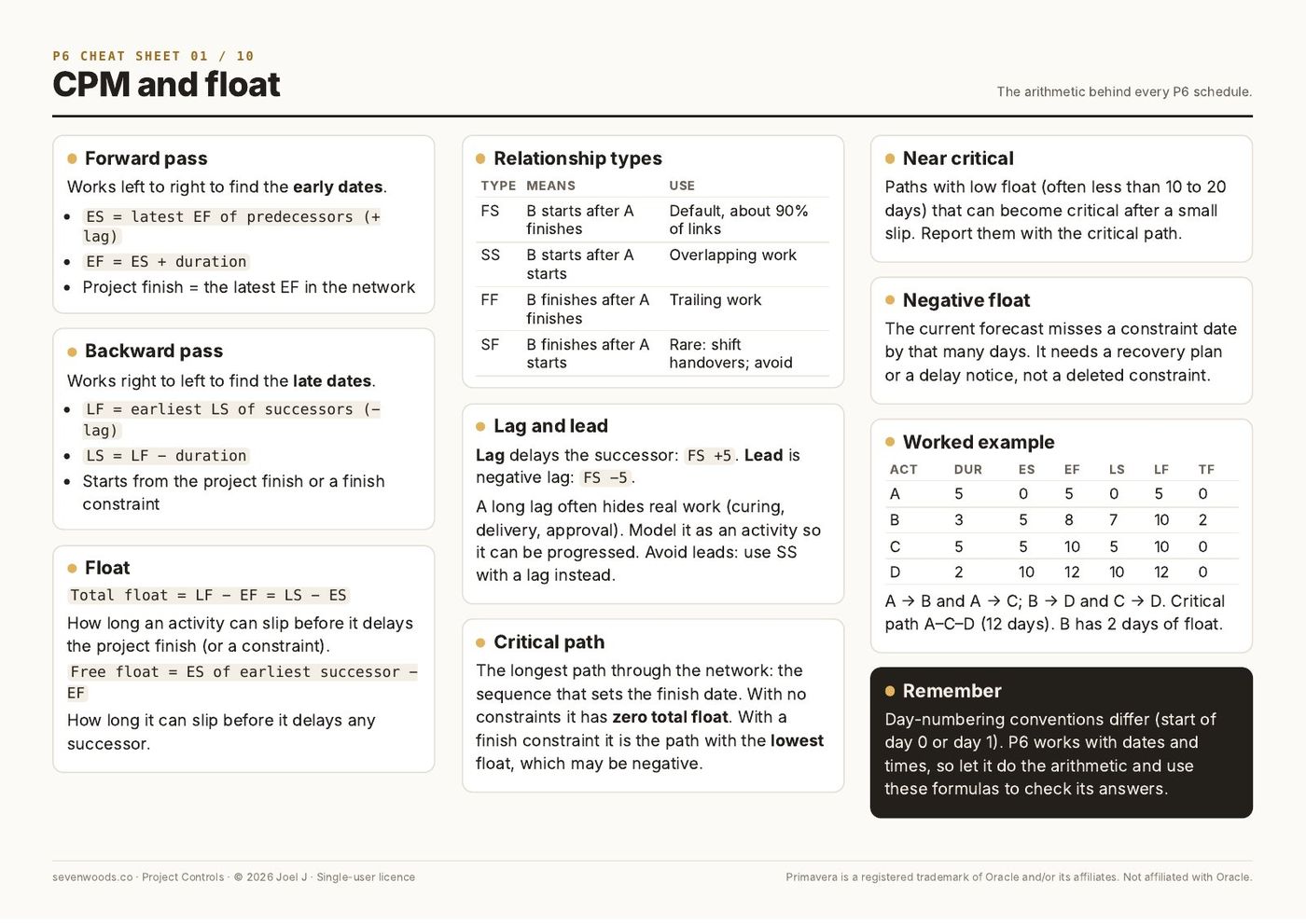
Sheet 01 · CPM and float10
  1. Forward pass
  2. Backward pass
  3. Float
  4. Relationship types
  5. Lag and lead
  6. Critical path
  7. Near critical
  8. Negative float
  9. Worked example
  10. Remember
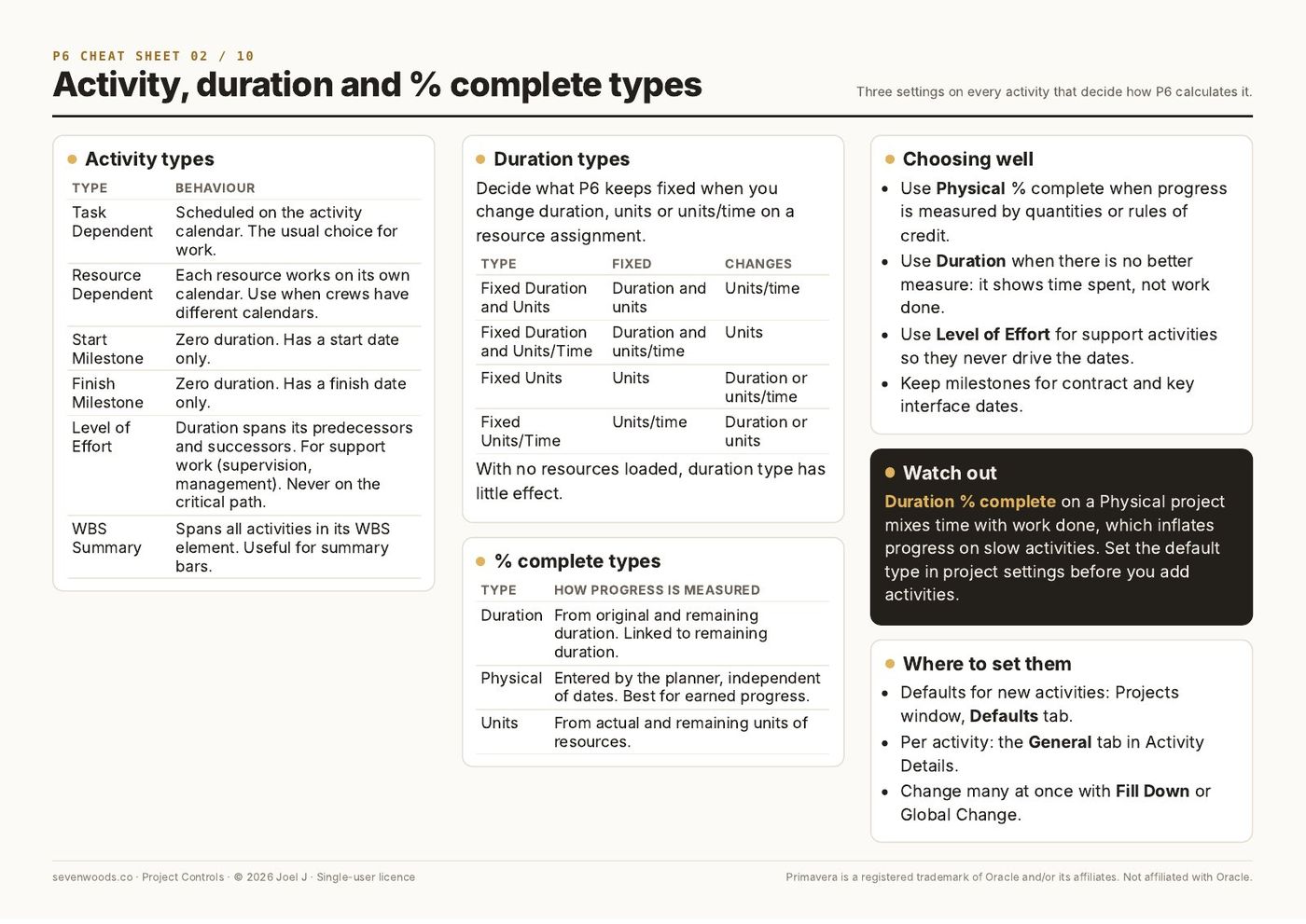
Sheet 02 · Activity, duration and % complete types6
  1. Activity types
  2. Duration types
  3. % complete types
  4. Choosing well
  5. Watch out
  6. Where to set them
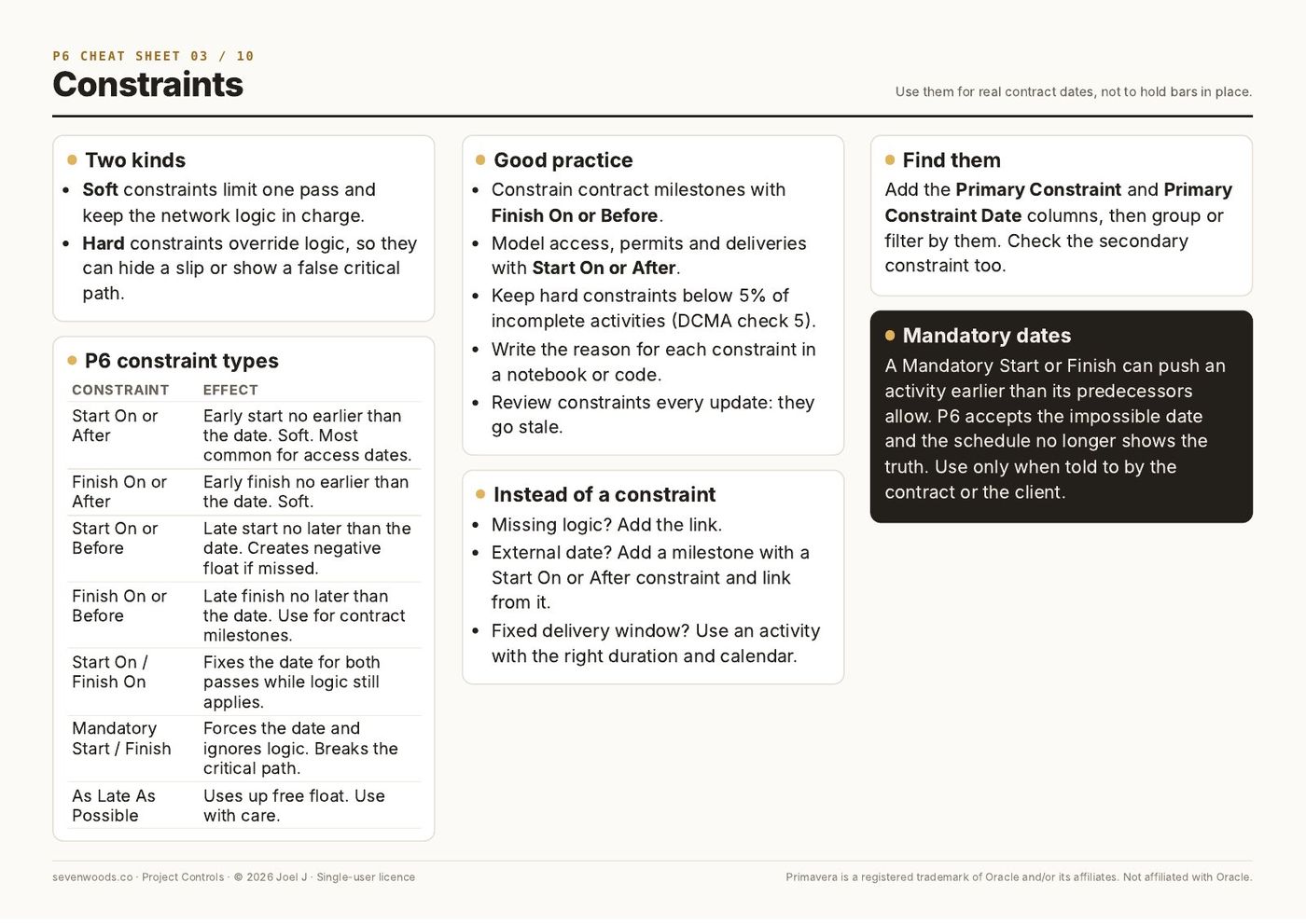
Sheet 03 · Constraints6
  1. Two kinds
  2. P6 constraint types
  3. Good practice
  4. Instead of a constraint
  5. Find them
  6. Mandatory dates
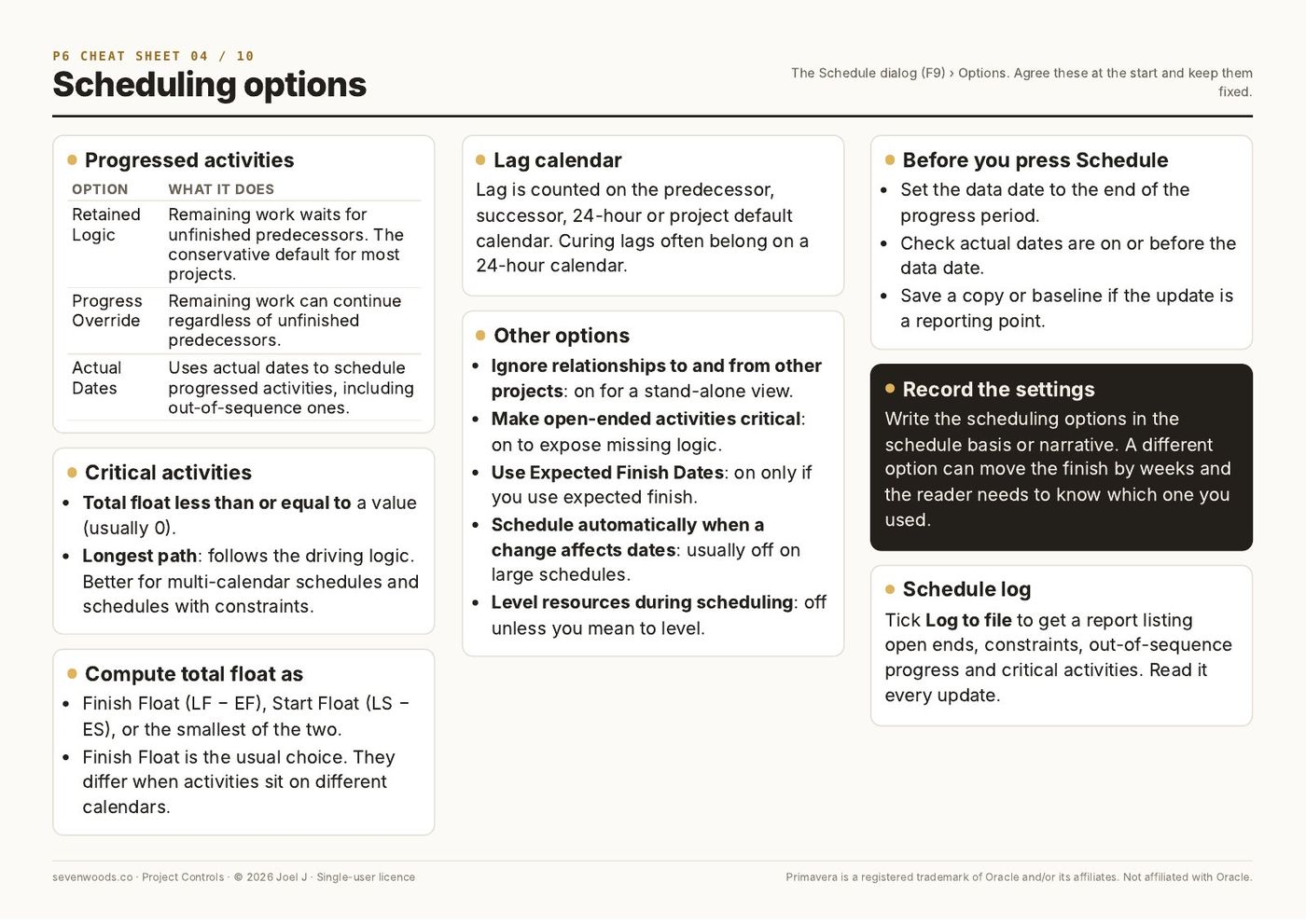
Sheet 04 · Scheduling options8
  1. Progressed activities
  2. Critical activities
  3. Compute total float as
  4. Lag calendar
  5. Other options
  6. Before you press Schedule
  7. Record the settings
  8. Schedule log
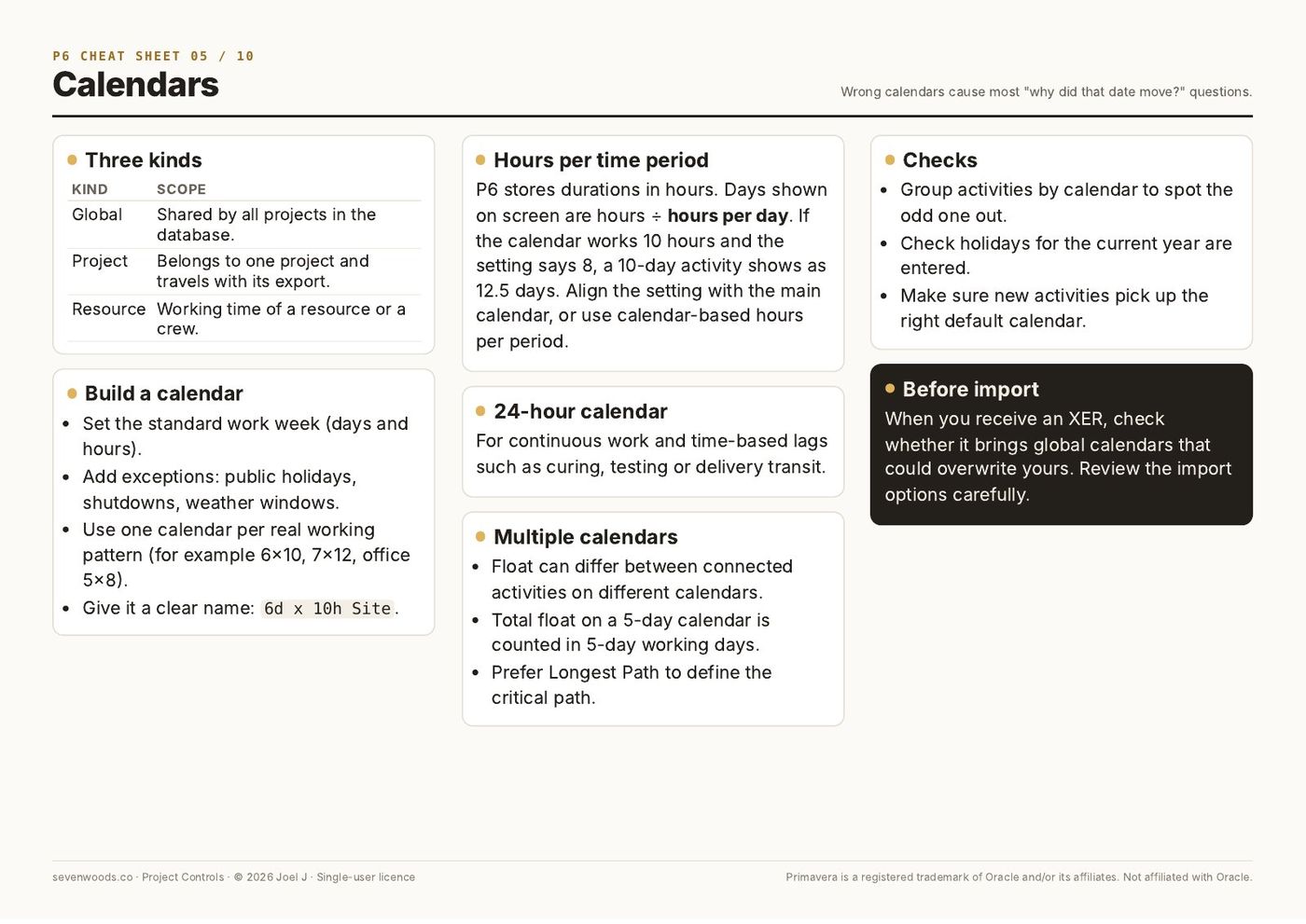
Sheet 05 · Calendars7
  1. Three kinds
  2. Build a calendar
  3. Hours per time period
  4. 24-hour calendar
  5. Multiple calendars
  6. Checks
  7. Before import
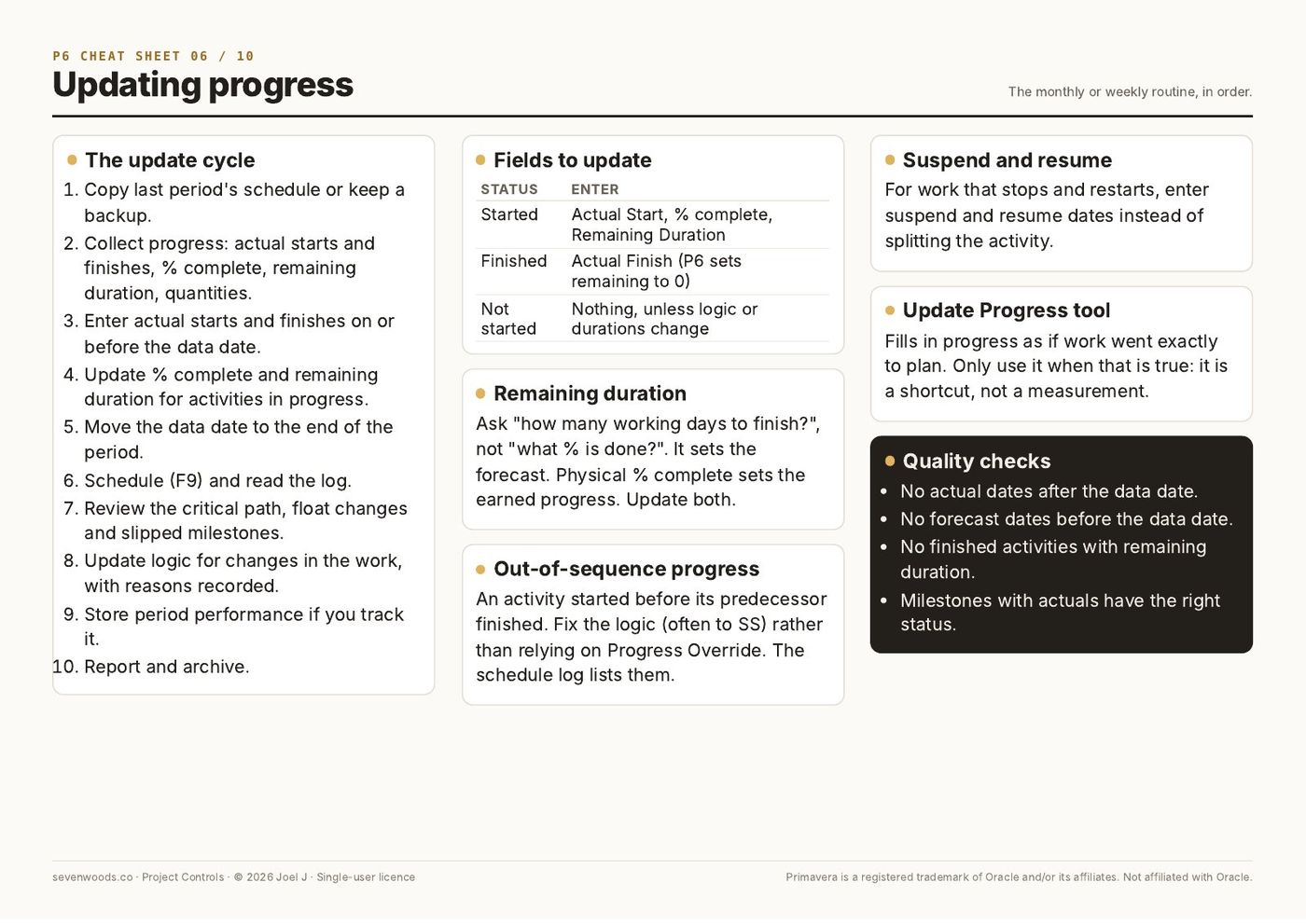
Sheet 06 · Updating progress7
  1. The update cycle
  2. Fields to update
  3. Remaining duration
  4. Out-of-sequence progress
  5. Suspend and resume
  6. Update Progress tool
  7. Quality checks
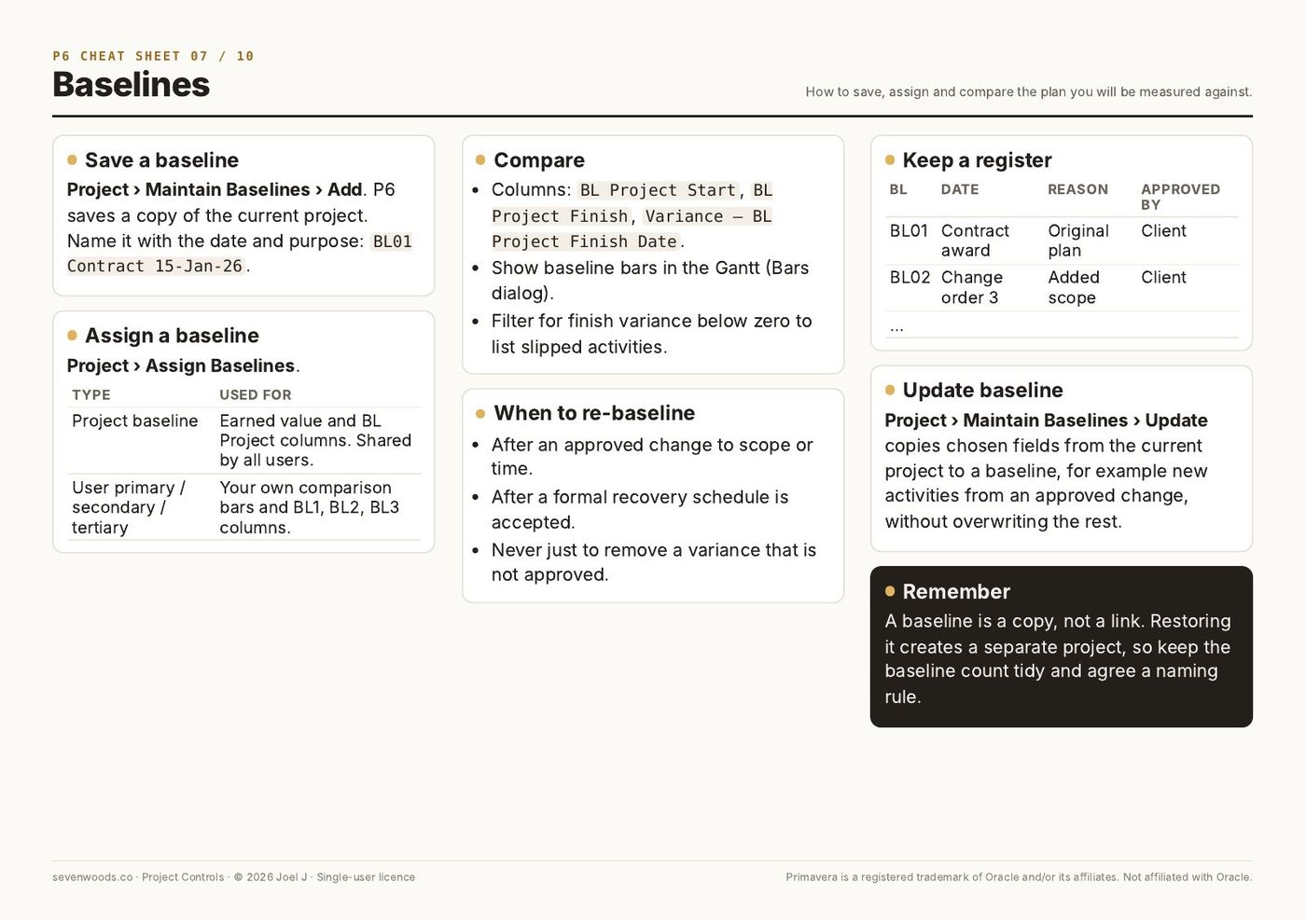
Sheet 07 · Baselines7
  1. Save a baseline
  2. Assign a baseline
  3. Compare
  4. When to re-baseline
  5. Keep a register
  6. Update baseline
  7. Remember
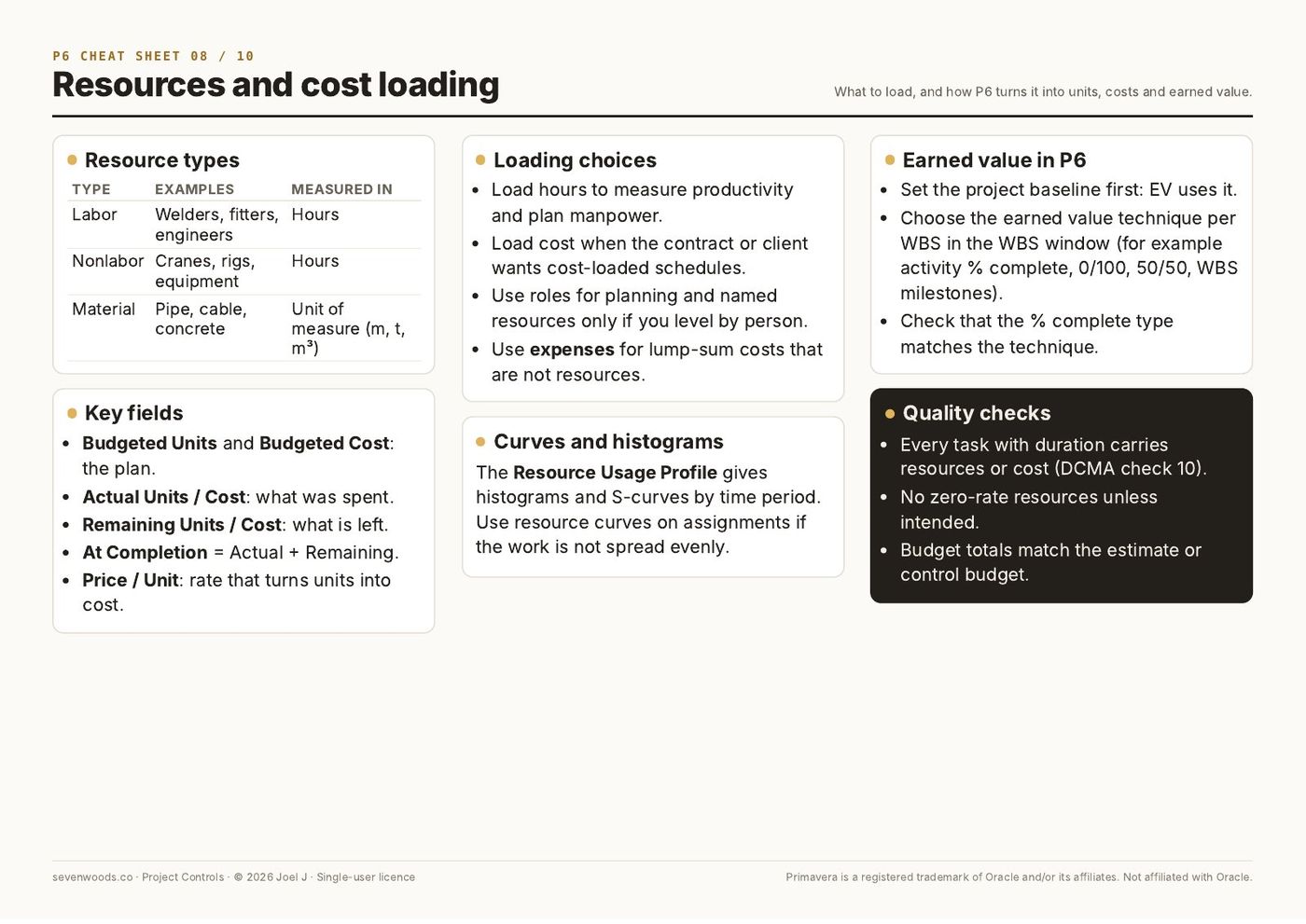
Sheet 08 · Resources and cost loading6
  1. Resource types
  2. Key fields
  3. Loading choices
  4. Curves and histograms
  5. Earned value in P6
  6. Quality checks
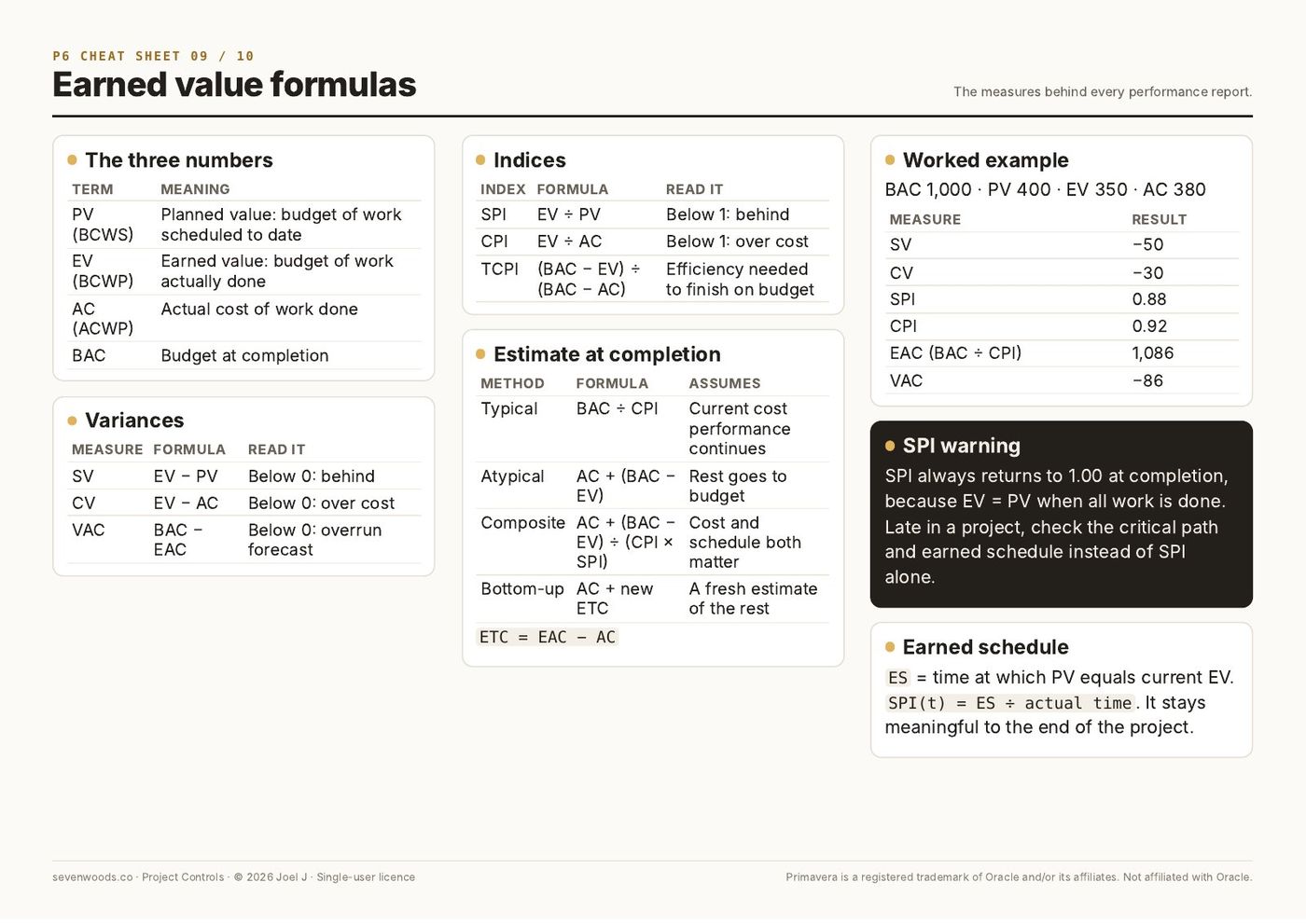
Sheet 09 · Earned value formulas7
  1. The three numbers
  2. Variances
  3. Indices
  4. Estimate at completion
  5. Worked example
  6. SPI warning
  7. Earned schedule
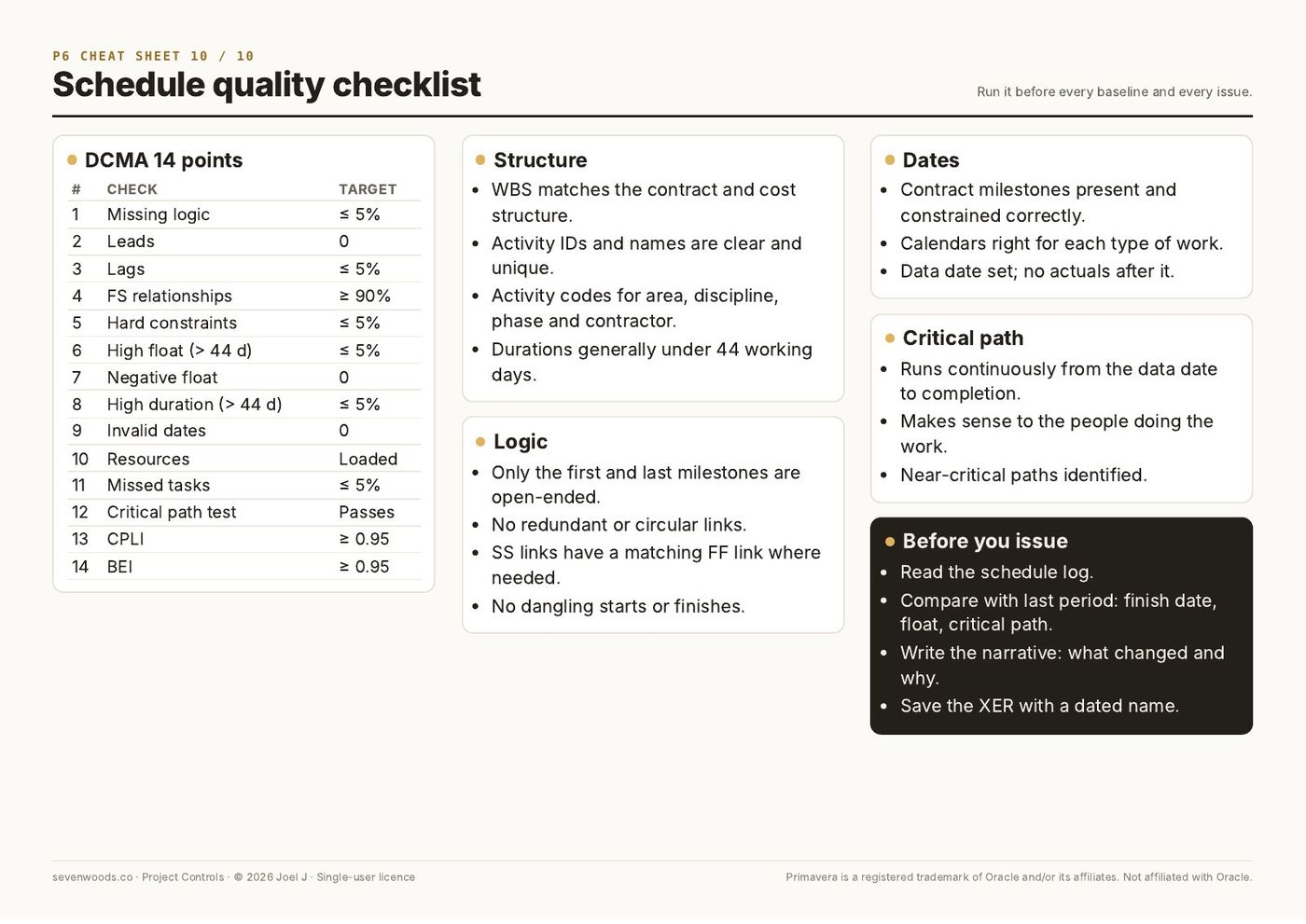
Sheet 10 · Schedule quality checklist6
  1. DCMA 14 points
  2. Structure
  3. Logic
  4. Dates
  5. Critical path
  6. Before you issue
Who it is for

Made for working planners.

Questions

Before you buy.

What format is it?

Digital files: PDF guides, and Excel, Word or PowerPoint files where the product includes them. You get a download link straight after checkout, and by email.

Can I use it at work?

Yes. The single-user licence covers your own work, including on your employer's and your clients' projects. For a team licence, contact us through the Payhip store.

Which software do I need?

A PDF reader for the guides. Excel, Word or PowerPoint (or compatible software) for the templates. Primavera P6 or Microsoft Project for schedule files.

Is the sample data real?

No. All sample projects, names, dates and figures are fictitious and are there to show how each file works.

You may also need

Related products.

ToolNew

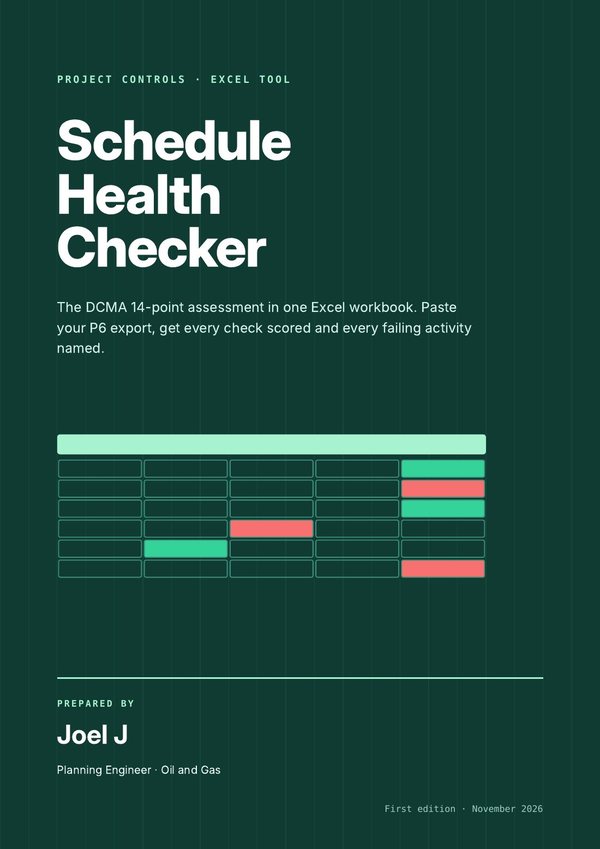
Schedule Health Checker

Paste your P6 export and see all 14 DCMA checks scored, with every failing activity named and how to fix it.

$35Look inside →
Guide

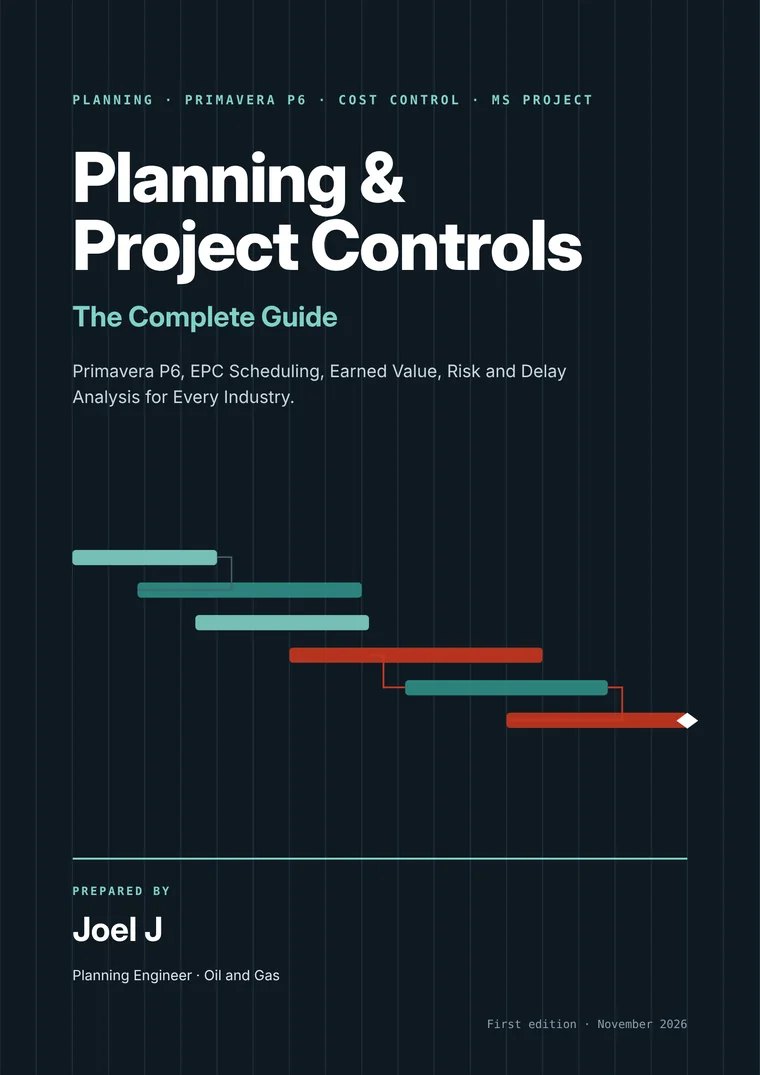
The Complete Guide

2,846 pages that cover the whole job, from CPM basics and Primavera P6 to earned value, contracts, forensic delay analysis, Power BI and AI.

$69Look inside →
Tool

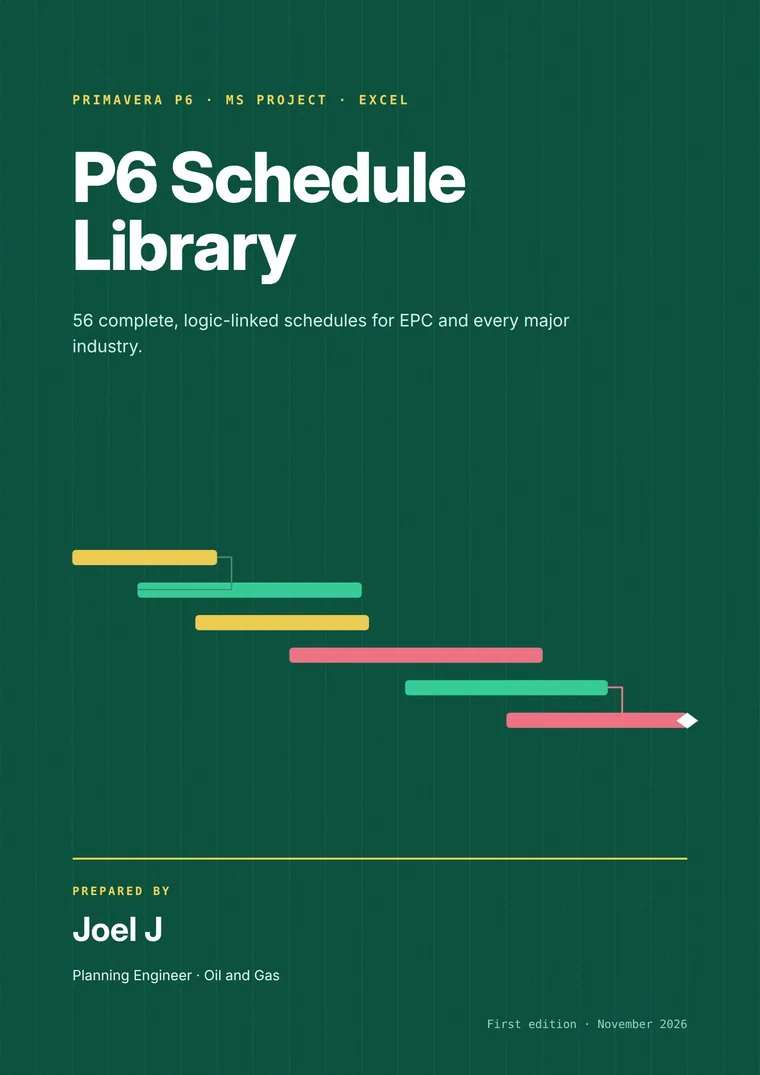
P6 Schedule Library

56 complete, logic-linked schedules across 19 industries, ready to import into P6 or Microsoft Project and adapt.

$39Look inside →
P6 Cheat Sheets

Ready when you are.

$15 P6 Cheat SheetsBuy now